
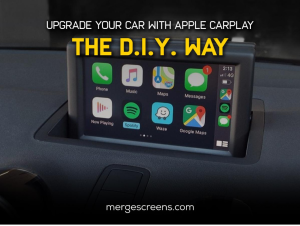
Introduction
In today’s digital age, the integration of technology into everyday life has become increasingly prevalent. One such advancement is Apple CarPlay, a convenient and innovative system that allows seamless connectivity between your iPhone and your car’s infotainment system. While many newer car models come equipped with Apple CarPlay, you may be wondering if it’s possible to upgrade your existing vehicle to enjoy this feature. Fortunately, with the right tools and a little know-how, DIY installation of Apple CarPlay is entirely achievable.
Understanding Apple CarPlay
What is Apple CarPlay?
Apple CarPlay is a platform for software made by Apple Inc. that enables a car’s infotainment system to display and interact with certain iPhone functions.
Features of Apple CarPlay
✓ Maps
Access Apple Maps for navigation with real-time traffic updates.
✓ Music
Stream music, podcasts, and audiobooks from your iPhone through your car’s speakers.
✓ Messages
Send and receive messages hands-free using Siri voice commands.
✓ Phone Calls
Make and receive calls while keeping your hands on the wheel and eyes on the road.
Compatibility and Requirements
• Vehicle Compatibility
Before diving into the installation process, it’s essential to ensure that your vehicle is compatible with Apple CarPlay. While most modern cars support CarPlay, older models may require additional hardware or software updates.
• iPhone Compatibility
Apple CarPlay is compatible with iPhones running iOS 7.1 or later. For the best results, make sure that the iOS on your iPhone is always up to date.
DIY Installation Guide
Step 1: Gather the Necessary Tools
Get the following tools together before you start the download process:
✓ Apple CarPlay-compatible head unit
This is the main component that will replace your car’s existing infotainment system.
✓ Trim removal tools
These are necessary for safely removing the existing head unit without damaging your car’s interior.
✓ Wire harness adapter
This adapter ensures compatibility between your car’s wiring and the new head unit.
✓ Mounting kit
This kit includes brackets and screws for securely installing the new head unit in your car’s dashboard.
✓ Screwdriver set
You’ll need various screwdrivers for removing and installing screws during the installation process.
Step 2: Remove the Existing Head Unit
Carefully use the trim removal tools to pry off the trim surrounding your car’s existing head unit. Once the trim is removed, unscrew the head unit from its mounting brackets and disconnect the wiring harnesses and antenna.
Step 3: Install the New Head Unit
Mount the new head unit into the dashboard using the provided mounting kit. Connect the wiring harness adapter to the car’s wiring, ensuring that all connections are secure. Slide the new head unit into place and screw it into the mounting brackets.
Step 4: Test and Configure
Once the new head unit is installed, turn on your car’s ignition and test the functionality of the Apple CarPlay system. Follow the on-screen prompts to pair your iPhone with the head unit via Bluetooth and configure your preferences for music, maps, and messaging.
You can find the products you want on Merge Screens including DIY installation guides for the CarPlay modules you want. You can also contact us to get professional installers to do the work for you.
Conclusion
With the rise of technology, upgrading your car with Apple CarPlay has never been easier. By following this DIY installation guide, you can enjoy the convenience and functionality of Apple CarPlay in your vehicle without breaking the bank. So why wait? Transform your driving experience today with Apple CarPlay.
FAQs (Frequently Asked Questions)
1. Is Apple CarPlay compatible with all car models?
While most modern car models support Apple CarPlay, older vehicles may require additional hardware or software updates for compatibility.
2. Can I use Apple CarPlay with an Android phone?
No, Apple CarPlay is designed exclusively for iPhones running iOS 7.1 or later. Android users can explore alternative options such as Android Auto for similar functionality.
3. Do I need a professional installer to upgrade my car with Apple CarPlay?
While hiring a professional installer is an option, many DIY enthusiasts successfully install Apple CarPlay themselves with the right tools and instructions.
4. Will installing Apple CarPlay void my car’s warranty?
In most cases, installing aftermarket upgrades like Apple CarPlay will not void your car’s warranty. However, it’s always a good idea to check with your manufacturer or dealership for specific warranty information.
5. Can I revert to my car’s original infotainment system after installing Apple CarPlay?
Yes, if desired, you can remove the aftermarket head unit and reinstall your car’s original infotainment system. However, be sure to keep all original components intact for potential resale or warranty purposes.
