
Printing shipping labels at home helps small business owners, online sellers, and freelancers in big ways. You save time and money, plus you control your work process completely.
When you have a good assistant, you can make clean labels quickly, watch where your packages are going, and spend more energy on making your business bigger.
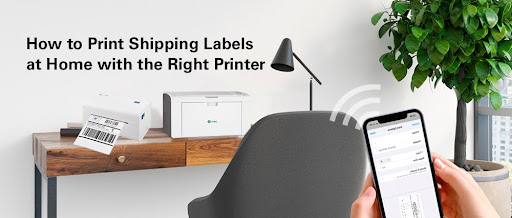
How to Pick Your Home Label Printer?
Printing shipping labels can get frustrating if you don’t have a clear plan for it —especially when you’re printing from home. And if you’re doing this at home, it can get even trickier.
If you’re still figuring out the best way to print labels or need help making shipping labels quickly, we’re here to help. Check out the answers to common questions below:
Which Shipping Printer Should You Buy?
When selecting a label printer for home shipping needs, it’s important to ask yourself these questions to streamline your process:
- Do I need a small shipping printer for tight spaces?
- Should it run without a power outlet?
- Do I want something simple to use?
- Do I print 20 or more labels every day?
Answering these questions gets you halfway there— keep reading to learn more info on how to print shipping labels at home with the best shipping label printer.
Already have a printer at home? Let’s Make It Work!
You can print labels at home using a laser printer or an inkjet printer. Here’s how:
Laser printers
Laser printers work great for basic label projects like address stickers, shipping tags, or product labels. They’re fast, produce sharp text, and are cost-effective for bulk printing.
For best results, stick to laser-compatible label sheets or laser printed labels
like laser printer shipping labels and clear laser printer labels, look for “laser-safe” on the packaging, and avoid glossy or specialty materials unless specified.
Always set your printer’s paper type to “Labels” in the settings menu—this adjusts the temperature and speed to prevent peeling or jams. Test print on regular paper first to check alignment, then load the label sheets one at a time to avoid feeding issues.
Inkjet printer
Inkjet printers work for occasional label jobs. They’re great for small batches and allow color printing for branding. However, ink costs add up quickly, and labels may smudge if exposed to moisture.
To avoid these issues, use waterproof label paper, test alignment on regular sheets first, and consider buying third-party ink to save money.
If you’re still figuring out the best way to print labels with a laser printer or need help making shipping labels quickly, we’re here to help.
Why the G&G P2022W Laser Printer Is a Great Option?
The G&G P2022W balances affordability and efficiency for home users:
- Prints up to 20 labels per minute—ideal for moderate shipping needs.
- Compact design fits small spaces.
- Works with standard label sizes.
G&G P2022W reads various bar code formats and comes with a free app. Just pick a format, type your address, and press print – a shipping label done in a few seconds.
Printing a lot? Consider a Thermal Laebel printer!
In most cases, printing shipping labels at home costs less, takes less time, and works better than other options. You only need to pay for label paper or ink, but everything else is free.
If you want to save more money, try using a thermal label printer for shipping that uses heat instead of ink. This type of printer like GG-D420 works faster and saves money over time.
Printing labels from home also helps you avoid extra business costs. Stores that print labels for you charge money for every page. Even if they only charge five cents per page, this becomes expensive when printing hundreds of labels.
For shipping label systems, you can easily use any browser like Google Chrome or Mozilla Firefox to download the label you need.
Printing shipping labels at home is no longer a luxury—it’s a smart business move. If you’re just starting out, your existing inkjet or laser printer can handle the job. But if you’re shipping daily or scaling your business, why not invest in a thermal printer? It pays for itself in saved time, reduced costs, and fewer headaches.
