
 Running multiple stores sounds exciting, but inventory quickly becomes overwhelming. Stock differences, delayed updates, and spreadsheet mistakes can quietly drain profits. Many business owners start asking why use a multi store inventory management plugin instead of manual tracking when growth begins, exposing operational gaps.
The answer is simple. Automated systems provide real time stock synchronization, centralized control, and better reporting across locations. They reduce overselling, improve fulfillment accuracy, and save administrative time. If you want inventory that scales with your business, continue reading to explore how automation changes everything.
The Real Multi-Store Inventory Problem (Scenario-Based Breakdown)
Imagine you run 3 physical stores, 1 warehouse, and an online WooCommerce store. You track inventory in spreadsheets, and each store manager updates stock at the end of the day.
At 2 PM, a customer buys the last unit online. But Store B sold that same last unit at 11 AM and hasn’t updated the sheet yet.
What happens next?
- You oversell the item
- You issue refunds or split shipments
- Fulfillment gets delayed while staff “hunt” for stock
- Customers lose trust after buying something that isn’t actually available
- Teams waste time doing emergency transfers or manual reconciliation
Why manual systems break here (technical reason):
Spreadsheets don’t act as a real-time single source of truth. They update after the transaction, not during it, so multi-location inventory becomes inconsistent by default.
Why Use a Multi Store Inventory Management Plugin Instead of Manual Tracking?
Manual tracking breaks in multi-store setups for one core reason: it cannot act as a real-time single source of truth. Spreadsheets update after sales happen, so inventory becomes inconsistent across stores, warehouses, and online orders. A multi store inventory management plugin solves this by using a centralized, database-driven architecture that updates stock at the moment transactions occur.
So, why use a multi store inventory management plugin instead of manual tracking? Because it maintains a real-time single source of truth for stock across all locations, enabling instant synchronization, automated fulfillment routing, audit logs, and scalable reporting, reducing overselling, delays, and human error. The technical advantages are explained below.
Centralized Inventory Database (Single Source of Truth)
All locations operate under one unified system. Each location has its own stock count, but inventory data is stored and controlled centrally. This prevents duplicate records, version conflicts, and inconsistent reporting.
Real-Time Stock Synchronization (Transaction-Level Updates)
Every sale, return, or transfer updates stock immediately across all locations. No waiting, no end-of-day reconciliation, and far fewer mismatches.
Location-Based Stock Allocation (Per-Location Rules)
Each store or warehouse can maintain:
- Separate stock quantities
- Location-based availability logic
- Location-specific pricing (where needed)
- Location-specific shipping/payment options
This keeps operations flexible without losing accuracy.
Automated Order Routing (Fulfillment Intelligence)
Orders can be routed automatically based on rules like:
- Nearest available location
- Stock availability
- Priority locations or shipping constraints
This reduces shipping cost, speeds delivery, and prevents wrong-location fulfillment.
Inventory Transfers With Traceability
Transfers become structured workflows instead of ad-hoc spreadsheet edits. Stock movement is logged, trackable, and auditable, reducing “missing stock” disputes.
Audit Logs & Role-Based Access (Control Layer)
Modern systems track:
- Who updated the stock
- When the change happened
- Why was it adjusted
This improves accountability and reduces silent data manipulation.
Reporting & Analytics (Decision Layer)
Multi-location systems can generate reports like:
- Sales and stock by location
- Stock turnover and aging
- Low-stock alerts and replenishment signals
- Inventory valuation
Spreadsheets can’t reliably deliver this without heavy manual work.
Integrations & Automation Readiness (Often Missing in Manual Systems)
Many multi-store systems support integrations with POS, shipping tools, or APIs/webhooks. This makes inventory scalable across channels without rebuilding workflows each time you expand.
Manual tools may seem manageable early on, but multi-store growth demands accuracy, speed, and accountability. A centralized inventory system reduces costly mistakes, improves planning, and keeps fulfillment consistent everywhere.
What Happens When You Rely on Manual Tracking Across Multiple Locations?
Managing inventory manually across multiple stores may seem manageable at first. However, complexity increases quickly as sales volume and locations grow. Let’s examine what actually starts breaking in real operations.
- Stock Data Is Never Truly Real Time: Manual updates create delays between transactions and recorded inventory, increasing the risk of overselling, stock discrepancies, and inaccurate availability across multiple physical and online locations.
- Spreadsheet Conflicts Multiply Quickly: When several team members edit shared files, version conflicts, overwritten cells, and broken formulas become common, making inventory totals unreliable and difficult to verify.
- No Automated Order Allocation Exists: Staff must manually check stock across locations to decide fulfillment sources, slowing processing time and increasing the likelihood of shipping from incorrect or inefficient locations.
- Inventory Transfers Become Unstructured: Stock movement between stores often relies on informal communication or manual edits, leading to confusion, missing quantities, and reconciliation challenges during busy periods.
- Reporting Becomes Reactive Instead of Strategic: Generating accurate multi location reports requires manual data consolidation, delaying insights and reducing forecasting accuracy for replenishment and purchasing decisions.
- No Audit Trail or Accountability Layer: Manual systems rarely record who adjusted inventory, when it changed, or why, which weakens operational control and makes stock discrepancies harder to investigate.
Manual tracking may appear cost-effective initially, but multi store complexity exposes structural weaknesses. Understanding these risks sets the stage for exploring scalable, automated inventory solutions.
Manual Workflow vs Automated Workflow
When comparing manual inventory tracking with automated multi location systems, the real difference is accuracy and control. Manual workflows create update delays and stock mismatches, while automation syncs inventory instantly, improves fulfillment routing, and keeps reports reliable.
Quick Comparison Chart
| Comparison Area | Manual Workflow | Automated Workflow |
| Stock updates | Delayed, batch based | Instant, real time |
| Multi location accuracy | Often inconsistent | Consistently synced |
| Fulfillment routing | Manual decision | Rule based routing |
| Reporting | Manual consolidation | Dynamic reporting |
| Accountability | Hard to trace changes | Logged adjustments possible |
Manual Workflow
- Sale happens at one store or online
- Staff records the sale manually
- Spreadsheet is updated later
- Other locations remain outdated during the delay
- Overselling and stock mismatch risk increases
- Reporting requires manual cleanup and consolidation
Automated Workflow
- Sale happens at one store or online
- System updates stock instantly for the correct location
- All locations sync in real time across channels
- Orders route automatically based on defined rules
- Reports update dynamically without manual effort
- Stock adjustments can be tracked for accountability
Manual workflows rely on consistent human input, which becomes unreliable as locations and order volume grow. Automated workflows standardize updates, improve fulfillment accuracy, and keep reporting trustworthy.
How Multi Location Systems Scale With Business Growth?
Multi store growth increases inventory complexity fast. When locations, orders, and channels expand, manual tracking becomes harder to maintain. Use this section to understand how scalable systems keep operations stable.
- Manual Tracking Works Only at Small Scale: It may fit one location, low daily orders, and a small catalog, because updates stay manageable and mistakes are easier to catch.
- More Locations Create More Reconciliation Work: Each added store multiplies stock updates, transfer records, and mismatch checks, making spreadsheets slower and increasing the chance of inconsistencies.
- Multiple Channels Increase Inventory Conflicts: Selling online and offline together introduces timing gaps, causing stockouts and overselling when the same SKU is updated differently across channels.
- Fulfillment Decisions Become Harder to Standardize: Teams must decide shipping locations manually, which slows processing, increases wrong-location fulfillment, and raises shipping costs as order volume grows.
- Scalable Systems Keep Inventory Centralized and Synced: A multi location system updates stock in real time, keeps location counts accurate, and reduces manual coordination as you add stores or warehouses.
- Rules, Roles, and Reporting Support Growth: Location-based rules, role permissions, audit logs, and location-level reports help managers control inventory consistently without increasing administrative workload.
Manual tracking tends to scale costs and errors along with growth. Multi location systems scale control and accuracy, helping inventory stay reliable as stores, channels, and demand increase.
Data Accuracy, Auditability, and Operational Control
In multi-location inventory, accuracy is a system design problem, not a counting problem. The difference between manual tracking and automation is whether you have a controllable stock system or just editable numbers.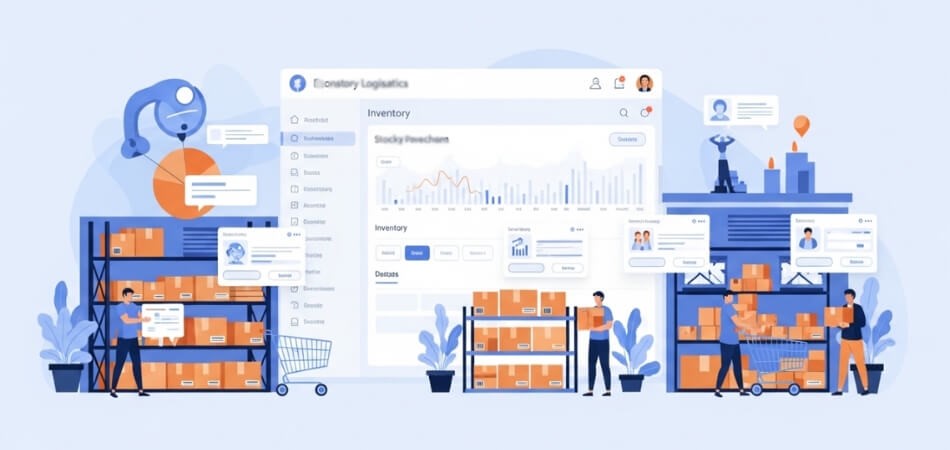
Layer 1: Truth Layer (Single Source of Truth)
Manual tracking stores stock as “final numbers” that anyone can overwrite. A controlled system stores stock as a location-based record where totals are derived from changes, not typed in.
Layer 2: Change Layer (Stock Movement Ledger)
Every sale, return, transfer, or adjustment becomes a recorded movement. That creates a traceable chain from starting stock to current stock without relying on memory or spreadsheet edits.
Layer 3: Permission Layer (Who Can Change What)
Roles define whether a user can receive stock, adjust quantities, approve transfers, or only view reports. This reduces errors and prevents unauthorized edits that create silent discrepancies.
Layer 4: Proof Layer (Auditability)
Logs provide timestamps, user identity, and change reason. When stock mismatches occur, teams can identify the exact event that created the gap and fix the process, not just the number.
Layer 5: Decision Layer (Location Reporting)
Location-based reports reveal where shrinkage happens, where transfers are frequent, and which stores miscount the most. This turns inventory from reactive troubleshooting into proactive control.
Spreadsheets can store stock numbers, but they cannot enforce control layers. Multi-location systems protect inventory integrity by design, making operations predictable and disputes easier to resolve.
When Manual Tracking is Still Acceptable?
Manual tracking is acceptable when a business operates from a single location, manages a small product catalog, processes low daily orders, and does not require real-time stock synchronization across channels.
Situations Where Manual Tracking Can Work
- Single physical location: If all sales happen in one store and inventory is stored in one place, stock discrepancies are easier to detect and correct manually.
- Minimal product catalog: A limited number of SKUs reduces the risk of counting errors and makes reconciliation manageable without automated tools.
- Low daily sales volume: When transactions are infrequent, updating inventory manually does not create a significant delay or synchronization risk.
- No multi-channel selling: If you are not selling across online and offline platforms simultaneously, the need for real-time synchronization decreases.
- No complex transfers between locations: Without stock movement across stores or warehouses, the system remains simpler and easier to monitor manually.
Where the Threshold Changes
Manual tracking starts breaking when any of the following increase:
- Number of locations
- SKU count
- Sales frequency
- Online and offline integration
- Transfer activity between stores
As soon as inventory must sync across multiple locations or channels in real time, manual systems struggle to maintain accuracy and visibility.
Manual tracking can support micro-level operations, but it does not scale with growth. Once complexity rises, automated multi-location inventory systems become essential for accuracy, control, and sustainable expansion.
Transitioning From Manual to Automated Inventory
Moving from spreadsheets to an automated multi location inventory system does not mean losing control. In fact, it replaces fragile manual processes with structured, trackable workflows. The key is a phased transition that protects existing data while improving real-time visibility.
Transitioning from manual to automated inventory typically involves importing existing stock data, configuring store locations, assigning stock per location, and gradually enabling real-time synchronization to reduce errors and improve visibility.
What a Structured Transition Looks Like
- Bulk Import And Data Migration Support: Most systems allow CSV or structured data imports, enabling businesses to migrate product catalogs, SKU quantities, and location data without re-entering information manually.
- Location Setup Flexibility: You can define warehouses, retail stores, or distribution centers individually, assign stock per location, and configure fulfillment rules before fully switching live operations.
- Gradual Onboarding By Store Or Channel: Instead of switching everything at once, businesses can activate automation per location, allowing teams to adapt workflows without operational disruption.
- Parallel Testing Before Full Activation: Some teams run automated tracking alongside spreadsheets briefly to validate accuracy and ensure totals match before completely retiring manual logs.
- Immediate Visibility Improvements: Once real time synchronization is enabled, stock updates reflect instantly across locations, reducing reconciliation effort and improving confidence in available quantities.
- Improved Control And Accountability From Day One: Audit logs, role permissions, and structured stock movements replace manual edits, making discrepancies easier to trace and resolve.
Risk Mitigation During Transition
- Back up spreadsheet data before migration
- Validate SKU mappings and location assignments
- Train staff on new workflows before scaling system access
- Monitor early stock adjustments closely
Transitioning to automated inventory is not about abandoning control. It is about upgrading to a structured, scalable system that improves accuracy, reduces operational risk, and supports multi location growth with greater confidence.
Frequently Asked Questions
Multi location inventory management raises practical questions about cost, complexity, integration, and long term efficiency. The following answers address common search queries related to automation, scalability, and operational reliability in growing retail and ecommerce environments.
Is Inventory Management Software Worth It For Small Businesses?
Inventory software can be valuable even for small businesses if they plan to grow. It reduces counting errors, improves stock visibility, and saves time on reconciliation. For very small single-store setups, manual tracking may work temporarily, but automation supports smoother scaling.
What Are The Risks Of Poor Inventory Management?
Poor inventory management can lead to overselling, stockouts, excess dead stock, inaccurate financial reporting, and customer dissatisfaction. Over time, these issues increase operational costs and damage brand trust.
Can Multi Store Inventory Systems Integrate With Pos Systems?
Many multi location inventory systems integrate with POS platforms, allowing in-store and online sales to update stock levels automatically. This improves real time accuracy and reduces discrepancies between physical and digital sales channels.
How Does Inventory Automation Reduce Shrinkage?
Automation reduces shrinkage by tracking stock movements with time stamps, user logs, and structured transfer workflows. This visibility makes it easier to detect unusual adjustments or recurring discrepancies across locations.
Does Inventory Management Software Help With Forecasting?
Yes, structured inventory systems provide sales data by SKU and location, which supports demand forecasting and smarter purchasing decisions. Reliable historical data improves replenishment planning and reduces overstock or stockout risk.
How Often Should Inventory Be Reconciled In Multi Store Setups?
Reconciliation frequency depends on sales volume and product value. High turnover businesses may perform cycle counts weekly, while others may reconcile monthly. Automated systems make reconciliation faster and more accurate.
Conclusion
Inventory complexity increases as your business grows. Spreadsheets may work at the beginning, but they struggle to handle multi location updates, reporting accuracy, and fulfillment coordination. That is why use a multi store inventory management plugin instead of manual tracking becomes an important operational question.
Automated systems create a reliable single source of truth, improve decision-making, and reduce costly mistakes. When inventory is accurate and synchronized, teams work confidently, and customers receive better service across every location.
