
Got a blurry photo that you wish were clearer? We’ve all been there. You find an old digital picture or download an image that looks great as a thumbnail, but when you zoom in or try to print it, it becomes a pixelated mess. For years, the only solution was to accept the low quality or have advanced knowledge of complicated software. Thankfully, that’s no longer the case in 2026.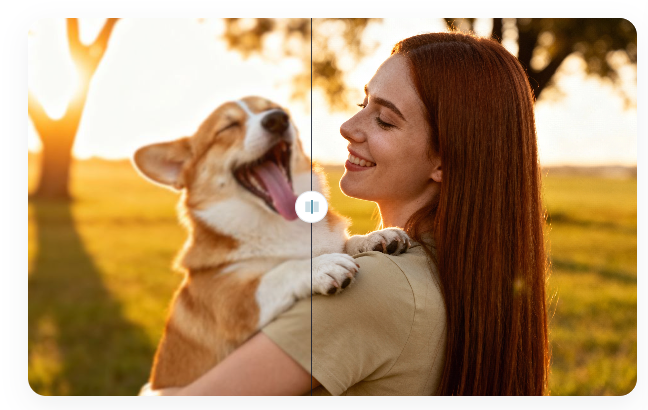
Artificial intelligence has completely changed how we handle image enhancement. Now, powerful algorithms can rebuild, sharpen, and enlarge your photos with just a few clicks. These tools don’t just stretch the pixels; they intelligently add new detail, giving you a result that looks sharp and clear. This guide will show you exactly how to improve your photos using the best AI tools available today.
Why Your Images Look Blurry in the First Place
Before we fix the problem, it helps to understand why it happens. An image can lose quality for several reasons, and you’ve likely encountered most of them.
* Compression: When you save an image as a JPEG or send it through messaging apps, it gets compressed to save space. This process removes some data, which can lead to blurriness and strange-looking artifacts.
* Low Original Resolution: The photo might have been taken with an older camera or phone that didn’t have a high megapixel count. There simply isn’t enough pixel information to create a large, sharp image.
* Digital Zoom: When you zoom in on a subject with your phone before taking a picture, you’re often just cropping and enlarging a portion of the sensor’s view. This is different from optical zoom and almost always reduces quality.
How AI Works Its Magic on Your Photos
Traditional software tries to enlarge a photo by stretching the existing pixels and guessing what to put in the gaps. This often leads to that classic blocky, blurry look. AI image upscaling is a totally different approach. It uses a technology called a generative adversarial network (GAN), which has been trained on millions of high-quality and low-quality image pairs.
Because of this training, the AI understands what things like brick texture, human hair, or a leaf on a tree should look like. When you give it your low-resolution photo, it doesn’t just stretch it. Instead, it intelligently generates new pixels that it predicts should be there, adding realistic detail and texture. The result is a much larger image that stays sharp and clean. Tools that Upscale Image Quality with AI have made this complex technology accessible to everyone.
Modern AI platforms often go beyond simple upscaling. They offer a full suite of editing features that work together to transform your images. Instead of using one tool for resizing and another for adjustments, you can do everything in one place. A high-quality Free AI Photo Editor can handle everything from removing unwanted objects to replacing a boring background, all powered by the same smart technology.
Top AI Tools to Enhance Your Photos in 2026
With so many options out there, choosing the right tool can feel overwhelming. We’ve tested the leading platforms to find the ones that deliver professional results without the steep learning curve. These are our top picks for 2026.
#1: Ezremove AI Image Upscaler
When your primary goal is to increase resolution without losing detail, the Ezremove AI Image Upscaler is the best tool for the job. It’s built with a singular focus: turning low-quality photos into high-definition masterpieces. The platform is incredibly user-friendly. You just upload your image, choose an enlargement factor (like 2x or 4x), and let the AI do the heavy lifting.
What sets this tool apart is the quality of its output. It excels at adding realistic texture, sharpening fuzzy edges, and reducing digital noise, which often plagues old photos. Whether you’re a photographer restoring old scans or a marketer needing high-resolution product images, this tool provides consistently impressive results in seconds.
#2: Ezremove AI Photo Editor
For those who need more than just upscaling, the Ezremove AI Photo Editor is a complete solution. It includes the same powerful upscaling technology but bundles it with a wide array of other useful editing features. Think of it as an all-in-one studio for enhancing your pictures.
With this editor, you can effortlessly remove unwanted objects or people from a shot, change the background to something more exciting, or perform automatic color and lighting corrections. The AI analyzes your photo and makes intelligent adjustments that would take a long time to do manually. It’s the perfect choice for social media creators, small business owners, and anyone who wants to make their photos look their best without spending hours in complicated software.
Step-by-Step Guide: How to Upscale an Image with AI
Using these modern tools is surprisingly simple. Here’s a general process that you can follow to improve your image quality in just a few minutes.
- Upload Your Image: Start by dragging and dropping your low-resolution photo into the tool’s interface or using the “Upload” button.
- Choose Your Settings: Most upscalers will give you options to increase the size by 2x, 4x, or even more. Select the level of enlargement you need. Some tools may also have sliders for noise reduction or sharpening.
- Let the AI Process: Click the “Start” or “Upscale” button. The AI will analyze your photo and rebuild it at a higher resolution. This usually takes less than a minute.
- Compare and Download: The platform will show you a before-and-after comparison. If you’re happy with the result, you can download the new, high-quality image to your device.
More Than Just Upscaling: Other Smart AI Editing Features
The world of AI photo editing is expanding quickly. Today’s best platforms offer a range of features that can fix almost any problem with your pictures.
AI Object Removal
Have a perfect photo that’s ruined by a distracting person in the background or an unsightly trash can? AI object removal lets you simply brush over the unwanted element, and the AI will intelligently fill in the space, matching the surrounding textures and lighting.
Smart Background Replacement
Changing the background of a photo used to require meticulous and time-consuming manual selections. Now, AI can detect the main subject of your photo and perfectly cut it out. From there, you can place it on a new background, whether it’s a solid color, a scenic landscape, or a transparent canvas.
Automatic Color and Light Correction
Getting the lighting and colors just right can be tricky. AI-powered auto-enhancement features analyze your image’s histogram and content to adjust brightness, contrast, and color balance automatically. This can bring a dull, flat photo to life with a single click.
Real-World Uses for AI-Enhanced Images
This technology isn’t just a neat trick; it has practical applications across many fields.
* E-commerce: Online sellers can take standard product photos and upscale them to show off fine details, building customer trust and increasing sales.
* Social Media: Content creators can enhance their images to look more professional, helping their posts stand out in crowded feeds.
* Printing: You can finally take that beloved, low-resolution photo from a decade ago and print it on a large canvas or as a poster without it looking pixelated.
* Archiving and Restoration: Families and historians can restore old, scanned photographs, bringing clarity and life back to precious memories.
Frequently Asked Questions (FAQ)
What is the difference between resizing and AI upscaling?
Resizing simply stretches the existing pixels in an image, which makes them bigger and causes blurriness. AI upscaling uses machine learning to create entirely new pixels, adding detail and sharpness to produce a genuinely higher-resolution image.
Can AI add details that were not in the original photo?
In a way, yes. The AI has been trained on millions of images, so it understands what things are supposed to look like. It uses this knowledge to generate new, realistic details that fit the context of the photo, such as the texture of fabric or the fine lines in a face.
How large can AI make my image?
Most AI upscaling tools can increase your image’s dimensions by 2x or 4x, which means a 4x upscale on a 1000×1000 pixel image will result in a 4000×4000 pixel image. Some specialized tools can go even higher.
Final Thoughts
Blurry, low-quality images no longer have to be a dead end. Thanks to the power of AI, anyone can now upscale, repair, and edit their photos to a professional standard. Tools like the ones we’ve highlighted have made this technology simple, fast, and accessible. Give them a try and see for yourself how easy it is to bring your old or imperfect photos back to life.
