
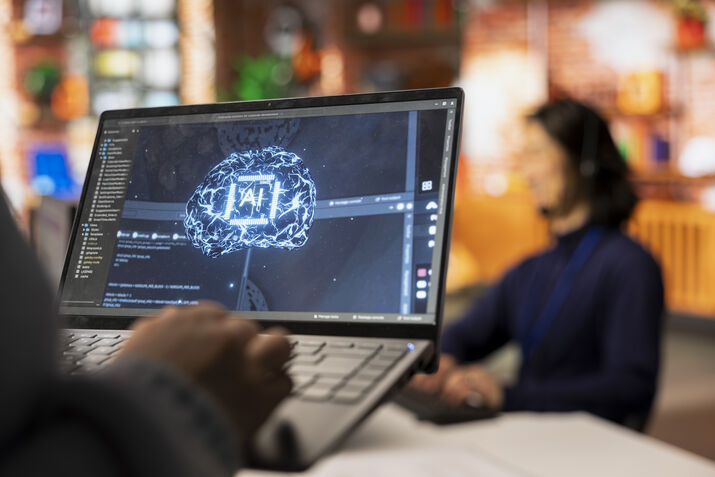
Have you ever questioned how an AI can create a text-based request into a beautiful painting, a real-life portrait, or a marvelous work of digital art in only a few seconds? The image generators based on AI have swept the globe, changing the sectors of marketing and designing to entertainment and education.
These effective tools are no longer a new phenomenon. Millions of professionals, creators and businesses worldwide are currently using them. However, what are AI image generators, how they are used, and what their advantages and disadvantages are? This is a detailed manual that we will expound on all you need to know.
As of 2026, we have moved past simple text-to-image. The industry is now defined by Real-Time Generation (under 2 seconds) and Multi-Modal AI, which seamlessly blends images, video, and 3D assets in a single workflow.
What Are AI Image Generators?
AI image generators are computer application programs that are able to generate visual content based on text description, existing images or other input in the form of artificial intelligence. One just has to type a query e.g. a futuristic city at sunset and the AI creates an original image according to the query.
The tools are based on deep learning models, specifically, a type is known as diffusion models or Generative Adversarial Networks (GANs).. They have been trained on billions of images over the internet and are able to comprehend complicated visual representations, styles and compositions.
Major AI image generators have been Midjourney, DALL-E 3 (OpenAI), Stable Diffusion, Adobe Firefly, and Google Imagen. Both these tools possess their own advantages, interface, and applications.
How do AI Image Generators Work?
Knowing the mechanics of these tools assists the user to better result and make decisions wiser on the tool to employ.
1. Diffusion Models
Diffusion models are used in most current AI image generators. These models operate by introducing random noise (digital static) to the trained images and then training to undo that process, in other words, denoising an image stepwise. As you give a text prompt, the model begins with raw noise and tries to refine the model and produce an intelligible image that resembles what you are describing.
2. Text Encoders (CLIP)
The AI has to comprehend your text prompt before the picture is created. Some models such as CLIP (Contrastive Language-Image Pretraining) created by OpenAI eliminate the gap between words and images. CLIP was trained with hundreds of millions of pairs of texts and images where it was able to learn that a golden retriever playing in a field is a particular visual concept.
3. Generative Adversarial Networks (GANs)
Another, though outdated, method, GANs are a pair of opposing neural nets. The Generator generates fake images and the Discriminator attempts to determine whether an image is a real one or it was generated by the AI. This game compels the generator to generate more realistic pictures as time goes on.
4. Latent Space
Image models run in a description of a reduced-dimensionality mathematical space referred to as latent space. The model operates on the image in a form of a compressed representation of an image instead of operating on the image pixel by pixel, which is much faster and more efficient.
Types of AI Image Generators
AI image tools do not always work similarly. The most common types are the following:
Text-to-Image Generators
The most common type. You give a text prompt and the AI makes an image out of nothing. They include DALL-E 3 and Midjourney. They are best suited to creative works, marketing art, and conceptual art.
Image-to-Image Generators
You can give an initial image and the AI can adjust or alter it as far as your instructions dictate. As an illustration, you may upload a sketch (rough one) and request the AI to transform it into a completed illustration. This is what Stable Diffusion is good at.
Inpainting and Outpainting
Inpainting primarily gives you the opportunity to pick a particular part of a picture and prompt the artificial intelligence to fill it in in a different way. Outpainting adds to an image in its natural boundaries. One of the market leaders of this space is Adobe Firefly.
Style Transfer
The AI uses the content of an image and uses a different visual style. As an example, a normal photo can be turned into a Van Gogh painting.
Comparison: Top AI Image Generators in 2026
Tool (2026) | Best For | Key Innovation | Commercial Safety |
Nano Banana 2 | Professional Workflows | Perfect Prompt Adherence | Enterprise Grade |
Midjourney v7 | High-Art & Lighting | “Consistent Character” Seeds | Artist-Opt In |
FLUX.2 Pro | Photorealism | 4K Text & Skin Textures | Open Weights |
Adobe Firefly 5 | Corporate Design | Native Illustrator Integration | 100% Indemnified |
GPT Image 1.5 | Text-Heavy Layouts | Flawless Typography | High |
Pros of AI Image Generators
1. Unbelievable Fastness and Productivity
Conventional digital art or photography may require hours, days or even weeks to create. AI image generators are used to generate high quality beautiful images within a few seconds. As a study by McKinsey and Company reveals, generative AI applications can cut the content-creation time by as much as 70 percent and radically speed up the creative process.
This benefit of speed is game changing to businesses operating marketing campaigns. Teams are able to prototype substantially fast, experiment with various images, and endlessly iterate creative ideas without having to wait on designers or photographers.
2. Accessibility of Non-Artists
Image generators using AI have democratized image creation. In the past, it would take years of training or high cost freelance services to make a professional quality work of art. The thing is that now anybody, who has an idea and a text description can create high-quality visuals.
Small businesses, bloggers, educators and entrepreneurs are now able to produce individualized visuals in their projects without having an exclusive design team. This makes the playing field quite equal in the creative economy.
3. Infinite Customization and Mixed-Up
There is no restriction to stock photo libraries and ready-made templates with AI tools. You can create hyper-specific images to your needs, of virtually any style – photorealistic, cartoon, watercolour, 3D render, vintage, futuristic, etc.
Do you have a cartoon astronaut who rides on a bicycle on Mars in your children’s book? No problem. These tools can be used flexibly in virtually unlimited ways and that is why they are a pricele
4. Cost-Effective Alternative
It can be expensive to employ professional photographers, illustrators or graphic designers. AI image generators are a very low-priced option, and most tools can be free or cheaply subscribed on a monthly basis.
This is very essential to startups and small businesses that operate on tight budgets. Gartner states that content creation is also experiencing a 30-50 percent cost reduction improvement in organizations that deploy AI creative tools, over their conventional approaches.
Cons of AI Image Generators
1. Issues of Copyright and Ownership
Copyright is one of the most controversial questions of AI image generators. These models have been trained on billions of images that were scraped on the internet, most of which were copyrighted works of human artists. This poses serious questions of legality and ethical concerns on whether using AI generated images as a copyrighted work is possible and who owns the product.
Artists have filed several lawsuits against the AI companies that used their work without their consent in training data. The legal situation is constantly developing, and companies that take advantage of AI-generated images to make a profit have to keep abreast of copyright regulations in their jurisdiction.
2. Precision and Timely Sensitivity
The image generators powered by AI are unpredictable. The slight variations in wording can cause vastly different consequences. To obtain the image you have in your mind, it may be necessary to learn how to write strong prompts or prompt engineering as it is called.
Furthermore, AI is frequently poor at such details as realistic human hands (previously creating additional or deformed fingers), realistic text in images, and intricate spatial relationship. Although these concerns have become much better in 2026, they have not been eradicated completely.
3. Ethical Concerns and Misuse
AI image generators may be abused to generate deepfakes, non-consenting intimate media, misleading political data or other malicious content. It is a grave threat to society, journalism, and trust on the part of the population due to the ease of developing hyper-realistic fake images.
Safety filters and usage policies are deployed on platforms such as Midjourney and DALL-E by OpenAI, yet bad actors still circumvent the limitations. The regulations such as the EU AI Act that is stricter on the synthetic media are now being worked on by governments around the world.
4. Bias in Generated Images
As AI models are trained on internet pictures, they acquire the biases that are in the data. The study of MIT and Stanford has found that AI image creators tend to support gender, racial, and occupational stereotypes. An example is that on prompting “a doctor” the image of a male doctor may appear disproportionately, or when prompted with a criminal, images of a criminal will be more racially biased.
The developers are working hard to overcome these biases, although it is a major issue, especially when the organization is applying the tools in a public-facing or sensitive situation.
The best AI Image Generators Trends in 2026
The profession is changing at a fast pace. The following are the most significant trends to follow:
- Video Generation: Generators such as Sora (OpenAI) and Runway Gen-3 are going beyond text-only image generation to generate entire videos, making small movie clips out of textual input.
- Real-Time Generation: The more recent models are capable of creating images in less than one second, and thus allow real-time creative tools and interactive applications.
- 3D Model Generation: AI is currently making 3D models out of text cues, which is a breakthrough in the industry of games, architecture, and product design.
- Personalization Models: It is now possible to customize models using personal face, art style or brand identity with methods such as LoRA and DreamBooth and create outputs that are very personal.
- AI + Human Incorporation: The most effective processes in 2026 will be those that use AI-based drafts and are refined by a human hand, integrating speed with creativity and artistry.
Guide to the Effective Use of AI Image Generators
1. Write Detailed Prompts
It is so much what you input that determines the quality of what you produce. Be particular regarding matter, style, light, color and mood. Enter a dog into the search box, use a dog as an example, and enter a golden retriever puppy sitting in a sunflower field during golden hour, photorealistic, shallow depth of field, Canon 85mm lens.
2. Use Negative Prompts
The majority of AI tools enable you to define what you do not desire in the picture. Negative prompts are used to remove undesirable items like blurry backgrounds, superfluous limbs or watermarks.
3. Iterate and Refine
You are seldom going to have a perfect first generation. Consider AI image generation a process. Write a variety of variations, choose the best, and improve it with some help of post-writers or editing software.
4. Appreciate Copy Policies
Rights and Usage The terms of service of the tool you have selected should always be read. Know what you are entitled to do with the images that you produce, particularly in the commercial context. Do not produce work in the particular style of an active artist without his or her authorization.
Real-World Use Cases of AI Image Generators
| Industry | Use Case | Example Tool |
| Marketing | Ad creatives & social media content | Adobe Firefly |
| E-commerce | Product mockups & lifestyle imagery | DALL-E 3 |
| Publishing | Book covers & editorial illustrations | Midjourney |
| Gaming | Concept art & character design | Stable Diffusion |
| Education | Visual learning materials | Google Image 3 |
| Architecture | Design visualization & rendering | Midjourney |
Conclusion
Artificial intelligence image generators are among the most revolutionary technologies in our time. They provide unmatched creative freedom, speed, and openness – allowing everyone to realize their visual imagination with neither artistic talent nor with costly materials.
They also are, however, associated with a lot of responsibilities. Both users and developers should be concerned with copyright, prejudice, and abuse. The trick is to utilize these tools in a wise, ethical, and creative way as regulations are subject to change and the technology is maturing.
AI image generators can be useful to you, no matter whether you are a marketer, artist, entrepreneur, or a curious beginner. And here we have the future of visual creativity, as accessible as it has never been.
Some of the most frequently asked questions (FAQ)
- Do the generated images by AI have commercial use freedom?
It depends on the tool. Midjourney, Adobe Firefly, and DALL-E 3 permit paid plans. Always ensure you verify the details of the service of the platform that you are using so that you do not end up using images in business.
- Is it possible to imitate the style of the artist using AI image generators?
Yes, they are able to imitate artistic styles, and this has brought serious ethical issues. Although style is not copyrightable, that a particular artist should be referred to in a prompt to make a copy of their work without their permission is unethical according to many members of the creative industry.
- Do such tools require technical expertise?
No. The majority of the currently popular AI image generators are user-friendly and have straightforward text input systems. Nevertheless, it is possible to become a much better learner through learning prompt engineering.
- Which AI image generator is the most desirable in 2026?
There is no optimal tool as it is based on what you need. Midjourney has the most artistic quality, DALL-E 3 is best at accuracy, Stable Diffusion provides the most versatility to technical users, and Adobe Firefly is best to commercial designers.
- Are AI image generators able to generate realistic human faces?
Yes, contemporary tools have the ability to produce very realistic human faces. Nevertheless, such power also has some serious ethical issues of deepfakes and non-consent imagery, and that is why responsible sites are strict.
