
(https://www.pexels.com/photo/modern-wireless-router-with-antennas-29711663/)
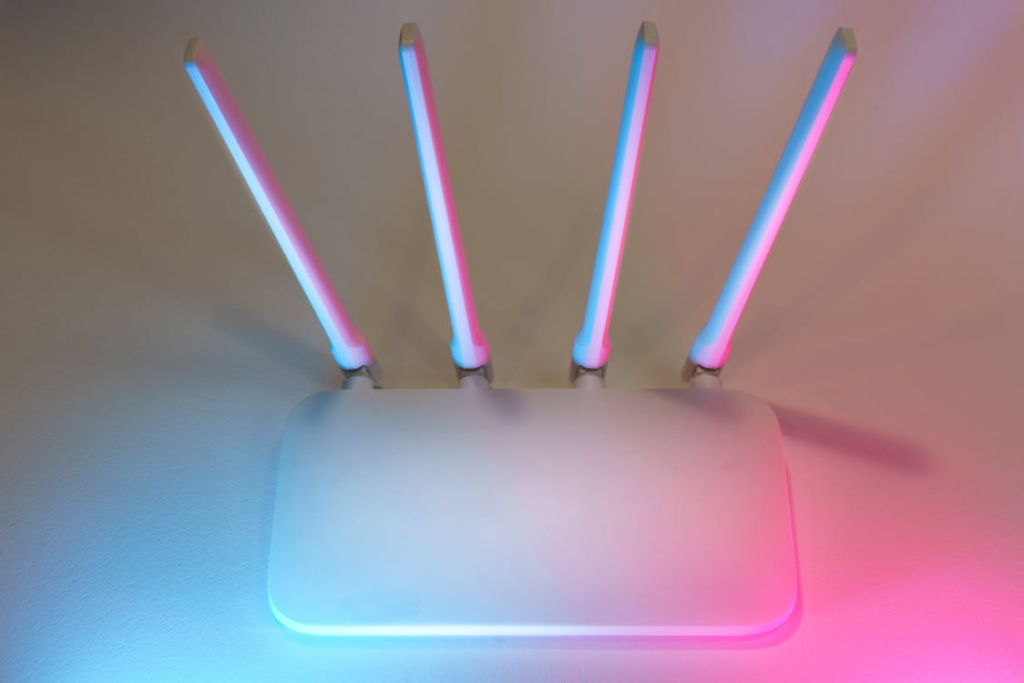
You pay for a premium gigabit fiber connection, unbox a brand-new router with antennas that make it look like an alien spaceship, and plug it in. Yet, somehow, the moment you walk into the guest bedroom, your video call freezes and your signal completely drops. It is incredibly frustrating to invest in high-speed internet only to be thwarted by invisible dead zones. Most people immediately blame their internet service provider or assume the router is entirely defective.
In reality, the invisible culprit is often the physical architecture of the house itself. Reliable internet is no longer just for streaming movies. It is the backbone of modern remote work and education. A stressed college student facing a midnight deadline might be forced to hire a paper writer at MyPaperHelp simply because their home network keeps dropping every time they try to load an online research database. When the stakes are that high, you need to understand exactly how your floor plan is interfering with your signal before you spend hours on hold with tech support.
The Invisible Physics of Home Wi-Fi
To understand why your house hates your router, you have to remember that Wi-Fi is simply a series of radio waves. Just like light cannot pass through a solid brick wall, these radio waves struggle to penetrate dense physical barriers. The higher the frequency (like the faster 5GHz or modern 6GHz bands), the shorter the wave, making it even more susceptible to physical disruption.
When planning your router placement, you must consider the building materials that actively absorb or reflect these waves:
- Concrete and Brick: These are massive signal killers. Homes with exposed brick interior walls or thick concrete foundational walls will immediately stop a high-frequency signal in its tracks.
- Metal and Ductwork: Heavy HVAC ducts act as metal shields. They will bounce your Wi-Fi waves back into the room rather than letting them pass cleanly through the ceiling to the second floor.
- Plaster and Lath: Older historic homes often use plaster layered over a wire mesh framework. This essentially creates a “Faraday cage” that traps your internet inside a single room, making entire wings of the house dead zones.
The Kitchen and Bathroom Blockades
Even in a modern, drywall-heavy home, specific rooms act as absolute black holes for connectivity. Kitchens and bathrooms are notorious for destroying bandwidth. Imagine a frustrated remote learner sitting at the kitchen island, desperately searching forums for my paper help tutorials, completely unaware that their physical environment is causing their browser to time out.
The reason kitchens and bathrooms cause such severe interference comes down to two primary elements: water and metal. Wi-Fi waves are easily absorbed by liquid. Therefore, large bodies of water, like a full bathtub, a massive hot water heater, or even a large decorative aquarium in a dividing wall, will absorb your internet signal before it ever reaches your laptop.
Additionally, these rooms are packed with heavy, insulated appliances that cause both physical blockage and active electronic interference:
- Refrigerators: These are massive boxes of dense metal and circulating liquid that create literal, impenetrable walls against your Wi-Fi signal.
- Microwaves: Because microwaves operate on the exact same 2.4GHz frequency as older Wi-Fi bands, turning one on to heat up lunch can temporarily scramble the signal for any wireless device nearby.
- Mirrors: Large bathroom mirrors feature a thin layer of metal backing to create a reflection. This metal backing reflects radio waves just as easily as it reflects light, bouncing your signal away from its intended target.
The Open-Concept Illusion and Refraction
Many people assume that a modern, open-concept floor plan solves all signal issues. While it certainly helps by removing physical drywall, it introduces the issue of raw distance and angle of refraction. If your router is plugged into the far corner of a massive open living room, the signal still has to travel a vast physical distance to reach the office at the other end of the house. You might be furiously clicking “submit” to upload your assignment details to the MyPaper service, only to watch the progress bar fail because the signal degraded over that fifty-foot span of open air.
Furthermore, the angle at which a signal hits a wall matters immensely. If a router is in the hallway and your desk is in the adjacent room, the signal passes cleanly through one thin wall. However, if the router is positioned at a sharp diagonal to your desk, the radio waves have to travel lengthwise through the wall’s interior structure. This effectively turns a standard four-inch piece of drywall into a three-foot physical barrier.
Reclaiming Your Floor Plan
You do not need to tear down your walls or rewire your entire house to fix these architectural dead zones. Bypassing your floor plan’s natural interference simply requires strategic placement and modern networking technology.
Here are the most effective ways to outsmart your home’s layout without picking up a sledgehammer:
- Elevate the Router: Radio waves travel downward and outward. Placing your router on a high bookshelf avoids the heavy furniture, couches, and floor-level obstructions that block the signal.
- Centralize the Hub: Move the router out of the basement or the corner office. Relocating it to the geographic center of your home ensures an equal, circular signal distribution to all rooms.
- Upgrade to a Mesh Network: Instead of relying on one single router to blast a signal through multiple walls, a mesh system uses multiple small nodes placed strategically around the house. These nodes communicate with each other, effectively bouncing the signal around physical barriers and down hallways to blanket the home in coverage.
Conclusion
It is incredibly common to blame your internet service provider for a dropped connection, but the reality is often much closer to home. Your floor plan, building materials, and large appliances are actively engaged in a silent war against your wireless network. By understanding the physical limitations of radio waves and treating your home network like an architectural mapping project, you can finally bypass those frustrating structural dead zones and experience the seamless gigabit speeds you actually pay for.