
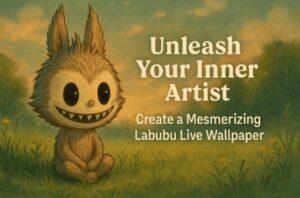
In the ever-expanding universe of designer toys and pop culture collectibles, few have captured the hearts of fans as quickly and intensely as Labubu. This mischievous, toothy-grinned elf, born from the imaginative mind of artist Kasing Lung, has transcended its vinyl and plush origins to become a veritable cultural phenomenon. For devoted collectors and newfound admirers alike, the desire to incorporate this quirky and endearing character into every facet of daily life is strong. What better way to showcase your love for Labubu than by having it come to life on the very screen you interact with dozens, if not hundreds, of times a day?
This comprehensive guide will walk you through the exciting process of creating your very own custom Labubu live wallpaper. Forget static, lifeless backgrounds; we’re diving into the world of dynamic, animated art that will make your phone a true reflection of your unique personality and passion. And the best part? You don’t need to be a seasoned animator or a tech wizard to achieve stunning results. With the power of AI-driven tools like veo 3, you can transform a simple image into a captivating video, perfect for a live wallpaper.
Why a Labubu Live Wallpaper?
Before we delve into the “how,” let’s explore the “why.” A live wallpaper offers a level of personalization that a static image simply cannot match. It’s a subtle yet constant source of joy, a tiny animated world residing in your pocket. Imagine unlocking your phone to see Labubu playfully winking at you, or perhaps a gentle breeze rustling the fur of a seated Labubu lost in thought. These small moments of delight can transform the mundane act of checking your notifications into a whimsical experience.
Moreover, creating your own Labubu live wallpaper allows you to express your creativity and showcase your favorite iteration of the character. With a myriad of Labubu designs, from the classic monsters series to the sweet and delectable macaron collection, the possibilities for your wallpaper are as boundless as Kasing Lung’s imagination.
The Magic of AI: Introducing VEO 3’s Image-to-Video Generator
The key to unlocking this creative potential lies in the innovative technology of AI-powered video generation. In the past, creating an animated sequence would have required specialized software and a significant investment of time and effort. Today, platforms like veo 3 have democratized the creative process, allowing anyone to bring their artistic visions to life.
The “image to video” feature of this powerful tool is what we will be harnessing for our project. By providing the AI with a base image of Labubu, we can instruct it to generate a short, looping video that adds a touch of motion and dynamism. This could be as simple as a subtle breathing animation or as complex as a short, playful scene. The beauty of this approach is that the AI does the heavy lifting, interpreting your input and generating a fluid and professional-looking animation.
Step-by-Step Guide to Creating Your Labubu Masterpiece
Ready to embark on this creative journey? Follow these detailed steps to craft your personalized Labubu live wallpaper.
Step 1: The Perfect Labubu Image – Your Creative Foundation
The first and most crucial step is selecting the right image of Labubu. This will be the foundation of your live wallpaper, so choose wisely. Here are a few things to consider:
- High Resolution is Key: A high-quality, clear image will yield a much better final video. Avoid blurry or pixelated images.
- Consider the Composition: Think about how the image will look on your phone’s screen. A centrally composed Labubu or a pattern of smaller Labubus can work well.
- Find Your Favorite Labubu: Do you have a particular Labubu figure that you adore? Use a photo of it! Alternatively, you can find a wealth of official artwork and fan creations online. A simple search for “Labubu art” will provide a plethora of options. Remember to be mindful of copyright if you plan to share your creation publicly.
- Isolate Your Subject (Optional): For a cleaner look, you might want to use an image of Labubu with a transparent background (a PNG file). This will allow you to place your animated Labubu over any background you choose.
Once you have your chosen image, you’re ready for the magic to begin.
Step 2: Animating Your Labubu with VEO 3
Now, it’s time to head over to the VEO 3 website. The “image to video” tool is incredibly user-friendly. Here’s a general workflow:
- Upload Your Image: Locate the “image to video” section on the website and upload your chosen Labubu image.
- Provide a Prompt (Your Creative Direction): This is where you get to be the director. You’ll be presented with a text box where you can describe the animation you want to see. The more descriptive you are, the better the AI will be able to interpret your vision. Here are a few examples of prompts you could use:
- “A gentle breeze rustles the fur of the Labubu.”
- “The Labubu slowly blinks and a subtle smile appears.”
- “Sparkles and soft light emanate from the Labubu.”
- “The Labubu subtly sways from side to side as if dancing.”
- Generate Your Video: Once you’re happy with your prompt, hit the generate button. The AI will then process your image and your text prompt, creating a short video. This may take a few moments, so be patient.
- Review and Refine: The AI will present you with the generated video. If it’s not quite what you had in mind, don’t be discouraged! You can often refine your prompt and try again. Experiment with different phrasings and ideas until you have a video that you love.
- Download Your Creation: Once you are satisfied with your animated Labubu, download the video file to your computer or directly to your phone.
Step 3: Setting Your Live Wallpaper – Bringing Your Creation to Your Screen
The final step is to set your newly created video as your live wallpaper. The process for this will vary slightly depending on whether you have an Android or an iOS device.
For Android Users:
Android offers a more direct and flexible approach to live wallpapers. While some manufacturer’s versions of Android may have a built-in feature to set a video as a wallpaper, the most reliable method is to use a third-party app.
- Download a Live Wallpaper App: Head to the Google Play Store and search for an app like “Video Live Wallpaper” or “Video to Wallpaper.” These apps are typically free and easy to use.
- Open the App and Select Your Video: Once installed, open the app and grant it the necessary permissions to access your media files. You should then see an option to select a video from your gallery.
- Trim and Adjust (If Necessary): Most of these apps will allow you to trim your video to the desired length. For a live wallpaper, a short, seamless loop is ideal. You may also have options to adjust the scaling to ensure it fits your screen perfectly.
- Set as Wallpaper: Once you’re happy with the preview, you’ll see an option to “Set as Wallpaper.” You will then be prompted to choose whether you want to set it for your home screen, your lock screen, or both.
For iOS Users:
Setting a live wallpaper on an iPhone requires an extra step, as iOS uses “Live Photos” for this feature.
- Download a Conversion App: Go to the App Store and download an app that can convert a video into a Live Photo. “intoLive” and “Video Wallpaper” are popular and effective choices.
- Convert Your Video to a Live Photo: Open the app and select the Labubu video you created with VEO 3. The app will guide you through the process of converting it into a Live Photo. You may have options to trim the video and select a keyframe that will be the static image of your Live Photo.
- Save the Live Photo: Once the conversion is complete, save the new Live Photo to your Photos app.
- Set Your Live Wallpaper: Now, navigate to your iPhone’s Settings > Wallpaper > Add New Wallpaper. From there, select the Live Photos album and choose the Labubu Live Photo you just created. You can then position and scale it to your liking. Once you’re happy, tap “Set” and choose to display it on your Lock Screen. To see the animation, simply press and hold on your lock screen.
A World of Creative Possibilities
Creating a Labubu live wallpaper is more than just a fun technical exercise; it’s a way to carry a piece of art and joy with you wherever you go. Thanks to the power and accessibility of AI tools like veo 3, the barrier to entry for this kind of creative project has been all but eliminated. So, what are you waiting for? Dive in, experiment with different images and prompts, and create a truly unique and mesmerizing Labubu live wallpaper that will make your device unmistakably yours. The only limit is your imagination.
