
Last month, I spent three weeks generating over 200 AI video clips. I fed the same prompts into different models, compared outputs frame by frame, and logged every difference I found. The gaps between engines were far bigger than any review article had prepared me for.
Most creators settle on one AI video tool and never look back. They don’t notice their cinematic shots look plasticky because the model was engineered for speed. Or their social clips take fifteen minutes to render because they picked a model tuned for film-grade physics. The right model for the wrong job wastes both time and creative potential.
After running hundreds of side-by-side generations, I walked away with a clear picture of which models excel at which tasks. Here’s the breakdown.
Why Choosing the Right Model Matters More Than Writing Better Prompts
The AI video landscape now includes Sora, Veo, Kling, and dozens of emerging competitors. Each development team trained their architecture on different datasets with fundamentally different priorities.
Some models optimize for photorealistic motion and cinematic lighting. Others chase raw generation speed. A third category pushes artistic interpretation — hand-painted textures, surreal physics, stylized animation. The same prompt produces wildly different footage depending on which engine processes it.
I discovered this firsthand. An aerial landscape prompt on a speed-optimized model produced something resembling a dated video game cutscene. That identical prompt on a cinematic-focused engine returned footage convincing enough to pass for professional drone work.
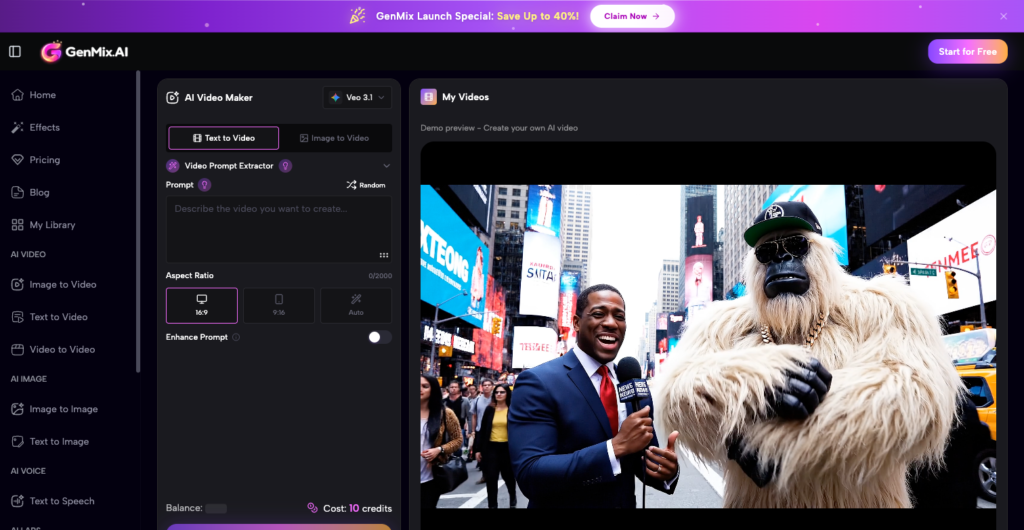
The real obstacle was access. Testing five models meant five accounts, five billing dashboards, and five interfaces to learn. That friction disappeared when I started running tests through GenMix AI, which consolidates multiple generation engines into a single workspace. One prompt, multiple models, instant comparison.
Cinematic Models: When Every Frame Needs Film-Grade Quality
Product launches, brand films, and narrative shorts demand a specific kind of visual fidelity. Cinematic models deliver it by prioritizing lighting accuracy, natural camera movement, and physically plausible material behavior across every generated frame.
In my tests, using Veo 3.1 on GenMix consistently produced the most film-like output. A prompt for “a woman walking through a rain-soaked Tokyo street at night” returned wet pavement reflections, volumetric light scatter from neon signage, and subtle depth-of-field transitions that felt like work from a skilled cinematographer.
Specific strengths I documented in cinematic-tier models:
- Lighting fidelity — accurate shadow casting and ambient occlusion sustained across the full clip duration
- Camera dynamics — smooth dolly, crane, and tracking movements free from the synthetic jitter plaguing faster engines
- Temporal coherence — characters, objects, and environments maintain consistent proportions and appearance from first frame to last
- Material physics — glass refracts, water ripples, fabric drapes, and skin scatters light with convincing realism
The trade-off is patience. Cinematic models typically require two to four minutes per clip. For a client deliverable or portfolio piece, that investment pays back immediately in production value.
Speed-Optimized Models: Usable Results Before Your Coffee Gets Cold
Not every project warrants maximum visual fidelity. Social media content calendars, internal pitch decks, and rapid concept exploration all reward fast turnaround more than pixel-perfect rendering.
Speed-tier models in my tests delivered viewable clips in fifteen to forty-five seconds. Quality landed in a middle ground between “impressive tech demo” and “polished deliverable.” For TikTok or Instagram Reels, where the audience scrolls past in under three seconds, that quality bracket is more than sufficient.
The real advantage was iteration velocity. I tested ten prompt variations in the time a cinematic model spent rendering two clips. That feedback loop let me nail my creative direction before committing to a slower, higher-fidelity final pass.
Tasks where speed-first models outperformed everything else:
- Social media content batches where posting cadence outweighs production polish
- Storyboard visualization before greenlighting a full production budget
- Client walk-throughs where a rough visual reference closes the deal faster than a slide deck
- A/B testing creative directions against a hard campaign deadline
Stylized Models: AI as a Deliberate Creative Partner
The most surprising category was stylized generation. These models abandon photorealism entirely. They interpret prompts through artistic filters — anime cel shading, oil painting impasto, retro film grain, or physics-defying dreamscapes.
Kling 3.0 stood out for maintaining artistic coherence throughout an entire sequence. A prompt requesting “a fox walking through an autumn forest in Ghibli style” didn’t produce filtered live-action footage. It delivered hand-painted warmth with fluid character motion that felt like a genuine animation production, not an algorithmic shortcut.
This category unlocks creative possibilities that traditional footage cannot touch. A music video treatment requiring weeks of manual compositing can be prototyped in five minutes. An art director can present three radically different visual directions to a client before a single dollar enters the production budget.
Stylized models also proved invaluable for educational and explainer content. Complex processes — how a supply chain works, how a molecule folds — become compelling visual stories when rendered through a model that prioritizes clarity and aesthetic appeal over photographic accuracy.
The Testing Workflow That Actually Produces Useful Comparisons
Running fair model comparisons requires structure. Without a consistent method, you end up comparing different prompts on different models and drawing meaningless conclusions. Here is the protocol I settled on after three weeks of iteration.
Step one: Write three standardized prompts — a landscape wide shot, a character-driven close-up, and an abstract concept. Using identical text across every model removes prompt quality as a variable and isolates model capability as the only difference.
Step two: Generate each prompt across at least three tiers — cinematic, balanced, and speed-optimized. Tag every output file with the model name, prompt version, and total generation time. This metadata becomes essential during review.
Step three: Review all outputs at native resolution on a calibrated display. Compressed thumbnails mask critical differences in texture quality, motion smoothness, and color grading. What looks identical at 480p often reveals dramatic gaps at 1080p.
For creators who want to run similar tests, platforms that host multiple engines under one roof eliminate the biggest logistical barrier. You can explore their template library to preview what different models generate before investing time in custom prompt engineering.
What Three Weeks of Testing Taught Me
Stop treating AI video generation as a single tool. It is a toolkit. Each model is a specialized instrument, and the creator who understands when to reach for which one will consistently outperform someone defaulting to the same engine for every brief.
Start with your dominant use case. Brand content teams should learn cinematic models first. Social media agencies should master speed-tier workflows. Experimental filmmakers and motion designers will find stylized models become their most productive creative collaborator.
The landscape evolves every quarter. New model releases bring genuine capability jumps, not incremental patches. Building a workflow that embraces multiple engines — rather than locking into one — lets you absorb those improvements immediately instead of starting over.
The gap between informed creators and everyone else is growing. Three weeks of structured testing gave me a permanent advantage. Yours will too.
