
The “mini-heart attack” following the accidental deletion of a crucial work thread or a sentimental conversation is a universal digital experience. While WhatsApp’s end-to-end encryption adds a layer of complexity to data retrieval, “deleted” rarely means “permanently erased”. Success depends on understanding the underlying storage architecture of your device and acting before new data overwrites the hidden fragments of your history.
Quick Decision Guide: Which Method is Right for You?
Choosing the correct recovery path depends entirely on your existing settings and the urgency of the situation.
| Situation | Recommended Method | Success Rate | Technical Level |
| Active Google Drive/iCloud Backup | Official Cloud Restore | High +1 | Low |
| No Cloud Backup / Outdated Backup | Gbyte Professional Recovery +1 | High +1 | Moderate +1 |
| Android User (Last 7 Days) | Local Database Restore | Moderate +1 | High |
| Disappearing Messages Active | Learn how to recover disappearing messages on WhatsApp | Variable | Low |
Method 1: Recovering via Official Backups (The Standard Route)
WhatsApp’s built-in redundancy features are the first line of defense, but they function differently depending on your mobile operating system.
Android: Google Drive and Local Databases
Android users benefit from two distinct layers of backup:
- The Google Drive Pathway: This is the most common recovery method. To trigger a restore, you must uninstall WhatsApp and reinstall it from the Google Play Store. Upon verification of your phone number, the app will scan your linked Google account for a backup file. When prompted, tap “Restore” to pull the most recent cloud data into your device.
- The 2:00 AM Local Fallback: Android devices perform an automatic local backup every day at 2:00 AM, saving files in the db format within your internal storage. If your Google Drive backup is missing or corrupted, these local files can be manually renamed to trigger a restore of your chat history from the previous seven days.
iPhone: iCloud and iTunes/Finder
iOS users rely primarily on Apple’s ecosystem for data safety:
- iCloud Chat Backup: You can verify your last backup date by navigating to WhatsApp Settings > Chats > Chat Backup. If the date listed precedes the deletion of your messages, reinstalling the app will allow you to download that specific snapshot from iCloud.
- iTunes/Finder Physical Backups: For users who prefer local security over cloud storage, a full device restore via a PC or Mac can retrieve the entire WhatsApp database. This method is highly effective but requires a physical backup to have been performed while the messages were still present on the phone.
Method 2: Recovery Without a Backup (The Gbyte Professional Fix)
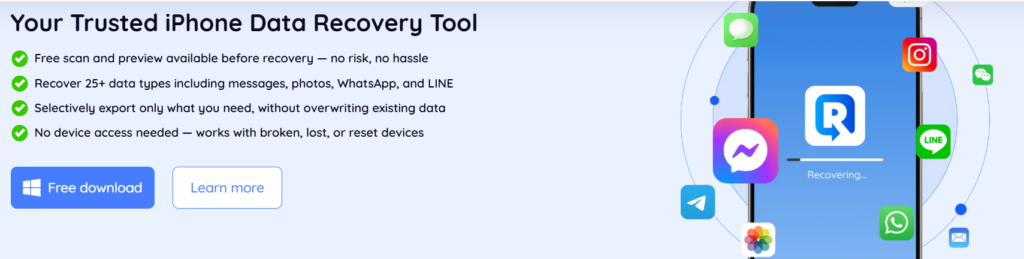
When official backups fail or do not exist, you must rely on the science of digital forensic storage. Even after a message is deleted, the data often remains in the device’s physical storage sectors, marked as “available space” until it is physically overwritten by new activity like app updates or high-resolution photos.
Why Gbyte is the Industry Standard
Gbyte is a specialized recovery suite engineered for scenarios where standard backups are broken, outdated, or entirely absent. Unlike official restores that replace your current database and create a “data gap,” Gbyte offers a granular, non-destructive recovery path.
- Deep Scanning Technology: Gbyte performs a bit-level scan of your device’s storage to locate and reconstruct deleted SQLite fragments that are no longer visible to the operating system.
- Selective Preview Feature: One of the most powerful aspects of Gbyte is the ability to view specific messages, timestamps, and media attachments before committing to a restoration. This ensures you only recover exactly what you need without altering the rest of your device data.
- Integrity Protection: The Gbyte process is designed to be non-destructive. It operates independently of the WhatsApp app itself, meaning it does not delete or overwrite your current, newly received messages while searching for lost ones.
Because the market for recovery tools is complex, it is essential to use a vetted solution. You can check out this review of the 7 best WhatsApp message recovery software in 2026 to see why Gbyte consistently ranks as the most reliable option for both iPhone and Android users.
Conclusion & Prevention Tips
Success in data recovery depends almost entirely on speed; the sooner you attempt to retrieve the data, the less likely it is that the fragments have been overwritten. While Gbyte provides an advanced, high-success path for those without backups, it is always safer to have a secondary line of defense.
To avoid future stress, navigate to your WhatsApp settings and enable “Auto-Backup” immediately.
Frequently Asked Questions (FAQs)
Will restoring a backup delete my current new messages?
Yes, official cloud restores replace the current database with the older one. This creates a “gap” where any messages received after the backup was created will be lost.
Can I recover messages from a year ago?
This depends heavily on your device usage and backup cycle. If the storage sectors containing that data have been overwritten, recovery is significantly more difficult.
Can I recover media like photos and videos?
Yes, media files are typically included in official cloud backups and can also be identified through the deep-scanning protocols used by Gbyte.
