
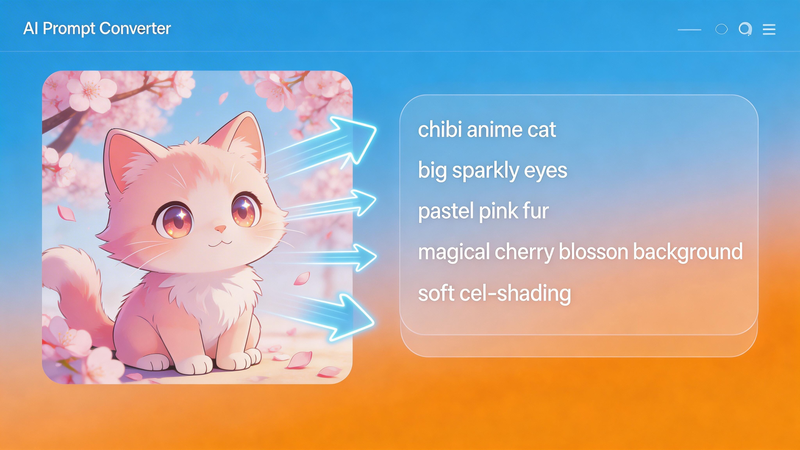
You’ve found the perfect reference image for your AI art project. You know exactly what style you want to capture. But there’s one problem: you have no idea how to describe it in a prompt that AI image generators will understand.
You search for an image to prompt generator and find plenty of options—but they all want something from you. Your email address. Your credit card. A monthly subscription. Or worse, they slap watermarks all over your results.
What if you could get professional-quality prompts from images—completely free, with no login required, and no watermarks? You can, and that tool is Vheer’s Image to Prompt Generator.
Why “Free” Often Comes With Hidden Costs
The internet is full of “free” AI tools that aren’t actually free. Here’s what you typically encounter:
Freemium Traps: You get a few free generations, then hit a paywall. Want more? Subscribe for $10/month or buy credits.
Mandatory Account Creation: To use the tool, you must create an account. That means providing your email, creating a password, and often verifying your identity. Your data becomes their asset.
Watermarked Output: The tool works, but every generated prompt comes branded with the service’s name. Unprofessional for client work, annoying for personal projects.
Cloud Storage: Your images are uploaded to someone else’s server. Who sees them? How long are they stored? Can you really trust them with sensitive or confidential material?
Hidden Limits: Unlimited use until it’s not—daily caps, monthly quotas, or size restrictions that appear once you’re invested in the workflow.
These friction points make “free” tools feel expensive in time, privacy, and convenience.
Vheer: Truly Free Image to Prompt Generation
Vheer AI takes a different approach. It can generate prompts from images completely free. No gimmicks, no hidden costs, no compromises. Here’s what “free” actually means:
No Login Required
Visit the site, upload your image, get your prompt. That’s it.
No email address required. No account to create. No password to remember. No verification emails. No personal information collected.
No Watermarks, Ever
Every prompt you generate is yours. Use it however you want—commercial projects, client work, social media, personal experimentation. There’s no branding, no attribution required, no “generated with X” text anywhere.
Completely Free, Forever
No subscriptions. No credit systems. No premium tiers. No “free trial” that ends after 7 days. No hidden costs that appear once you’re hooked.
Generate one prompt or one thousand—it’s all free. Use it daily, weekly, or monthly—your usage never affects the price tag (which is always zero).
Browser-Based Privacy
Here’s something most free tools don’t offer: complete privacy.
When you upload an image to Vheer, all processing happens locally in your browser. Your image never travels to a server. It’s never stored. It’s never shared. It’s never seen by anyone but you.
More Than Just Free: Professional-Quality Output
Being free is great, but not if the output is garbage. Vheer’s image to prompt AI doesn’t compromise on quality to maintain its $0 price tag. Here’s what you get:
Three Intelligent Prompt Styles
Most free tools give you one generic prompt. Vheer gives you three:
Simple Prompt: Clean, concise descriptions perfect for quick iterations or when you want to focus on core elements without overwhelming detail.
Detailed Prompt: Rich, comprehensive descriptions that capture lighting, textures, composition, and fine details—ideal for realistic reproductions.
Creative Prompt: Artistic, evocative descriptions infused with mood and atmosphere—perfect for fantasy art, storytelling, and creative exploration.
Fast, Accurate Processing
Get results in seconds, not minutes. Vheer’s optimized AI delivers professional-quality prompts without the wait—no matter how many times you use it.
Step-by-Step: Using Vheer’s Free Image to Prompt Generator
Ready to start generating prompts? Here’s how easy it is: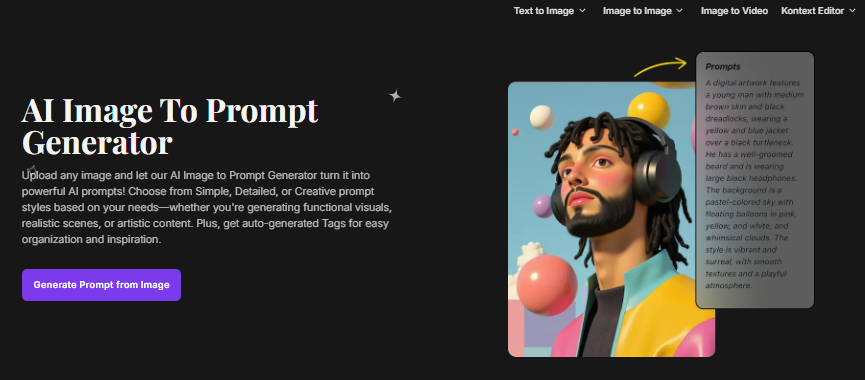
Step 1: Visit the Tool
Go to Vheer website and choose image to prompt tool. No landing page to navigate, no ads to dismiss—straight to the tool.
Step 2: Upload Your Image
Three options, all equally fast:
- Click “Upload your image” and select from your device
- Drag and drop directly into the upload area
- Paste a URL for images already online
Your image appears instantly, ready for analysis.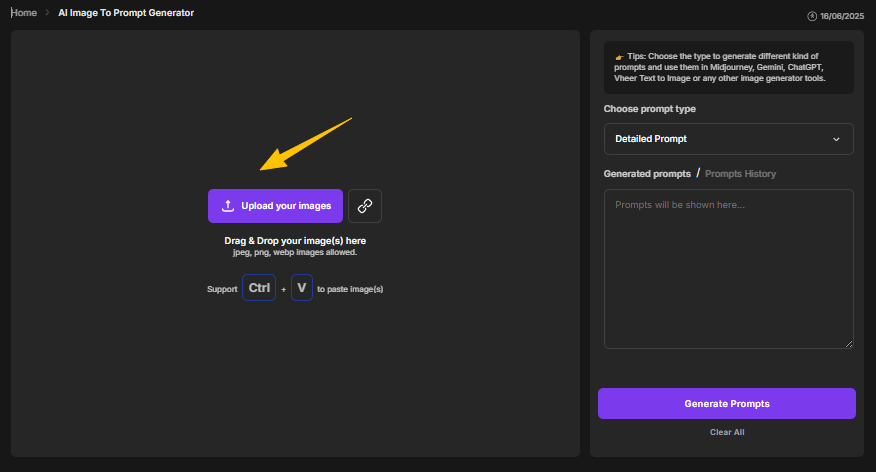
Step 3: Choose Your Prompt Style
Select Simple, Detailed, or Creative based on your goal:
- Simple for quick tests and straightforward descriptions
- Detailed for accuracy and technical depth
- Creative for artistic flair and mood
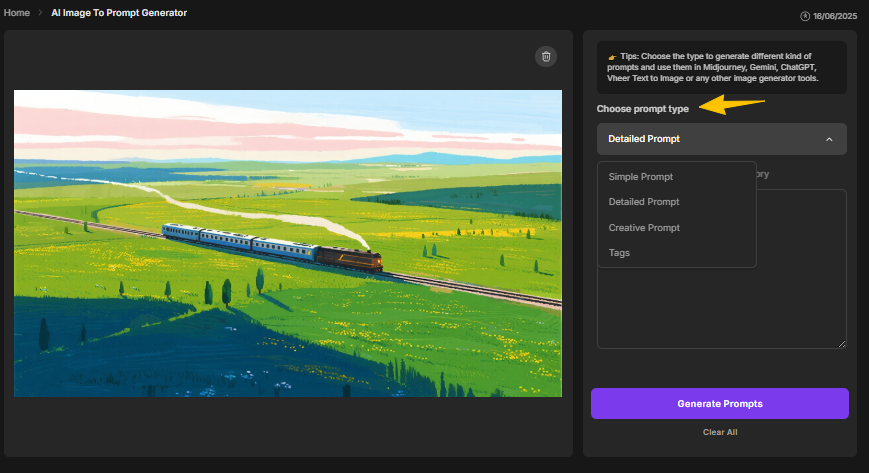

Not sure which to choose? Generate all three and compare—there’s no limit on how many times you can process the same image.
Step 4: Generate and Use
Click “Generate Prompts” and watch the AI work. Within seconds, you’ll receive:
- Your chosen prompt style
- Auto-generated tags
- One-click copy buttons
- Option to use the prompt directly in Vheer’s Text-to-Image Generator
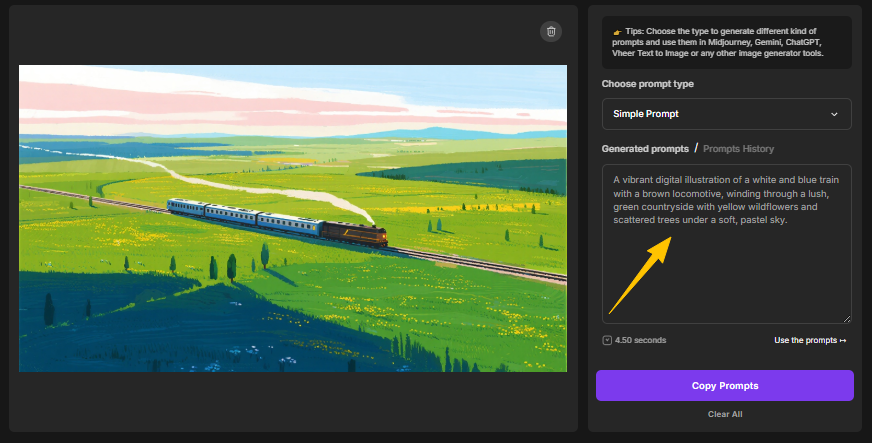

Copy your prompt to any AI image generator (Midjourney, DALL·E, Stable Diffusion) or stay in Vheer for a seamless workflow.
Real Example: What Free Gets You
To demonstrate how Vheer extracts prompts from an image, let’s process a pixel art image of a small medieval village.
Reference Image: A small medieval village at sunset, pixel art style, 32×32 tile grid, warm orange lighting, tiny houses with thatched roofs, glowing windows, cobblestone paths, soft shadows, limited color palette (16-bit), highly detailed environment, top-down RPG perspective, nostalgic retro game aesthetic.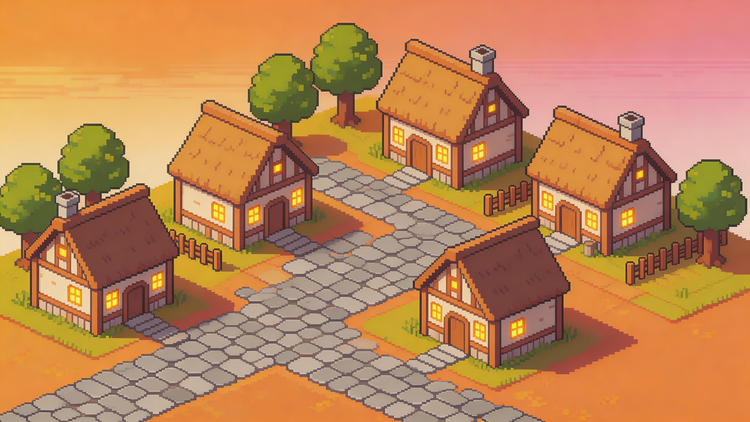
Simple Prompt Output:
“Pixel art village at sunset, featuring six charming cottages with thatched roofs, surrounded by trees and a cobblestone path. The sky transitions from orange to pink, creating a warm and inviting atmosphere.”
Detailed Prompt Output:
“This is a digital pixel art illustration of a quaint village featuring five charming houses with thatched roofs and wooden frames, each illuminated by warm, glowing windows. The houses are arranged in a cross-like pattern on a cobblestone street. Surrounding the village are small, leafy trees and a simple wooden fence. The background sky transitions from a soft orange to a pale pink, suggesting a serene sunset. The overall style is reminiscent of retro video games, with a nostalgic, cozy atmosphere.”
Creative Prompt Output:
“Pixel art of a quaint village with charming cottages, each with a thatched roof and a small chimney, set amidst a stone-paved town square. The sky is a warm gradient of pink and orange, and lush green trees dot the background.”
Three completely different outputs, each valuable for different purposes—all from a free tool with no login required and no watermarks.
Common Use Cases for Free Image to Prompt Generation
Many “free” AI prompt generation tools come with trade-offs—whether it’s limits, watermarks, or required sign-ups. That’s why it’s important to look beyond the label and focus on how a tool actually fits your workflow.
If you’re looking for a simple way to turn images into prompts without extra friction, tools that offer fast results, flexible output, and minimal setup can make the process much smoother.
In the end, the best choice is the one that lets you focus on creating, not dealing with restrictions.
